Vibe Coding: A New Way to Wait
If you’ve followed the recent discussions among a niche community about “showing off your Vibe Coding projects: how wild can code be?” you should be familiar with this concept. Over 400 members shared their creations made with AI, ranging from Buddhist scripture search platforms to children’s finance mini-programs.
The term Vibe Coding was introduced by Andrej Karpathy last February. The essence is: I no longer write code; I only write prompts for AI to generate code. I hardly look at the generated code as long as it runs.

Vibe Coding is like a sleep cycle.
My own usage might be more “abstract.” I’m not writing an app or building a website; instead, I’m using Vibe Coding to organize my workflow—breaking down my methodologies into structured skills and feeding them to my OpenClaw to help with repetitive tasks in my daily work. Essentially, I’m not programming; I’m externalizing my way of thinking into executable instructions.
Regardless of how you use Vibe Coding, one common experience is waiting.
After writing prompts, you wait for AI to generate code. You run a test and wait for compile results. If the results are incorrect, you modify the prompts and wait again. A feature from idea to implementation may require five or six iterations, with each round having gaps of several seconds to minutes. The time spent actively working is only about 30-40%, with the rest being waiting.
Traditional programming emphasizes flow; once you’re in the zone, you don’t want to be interrupted. Vibe Coding is different—your rhythm is dictated by the speed of AI generation; you can’t speed it up or skip it. This intermittent work state is completely different from traditional programming.
What Kind of Games Can Fill These Gaps?
During the waiting times, you have to do something. Scrolling through your phone is too fragmented, watching videos is too immersive, and replying to messages easily pulls you back into work conversations. I tried various options and found that games are surprisingly the most suitable—but not all games will do.
The waiting during Vibe Coding isn’t a block of free time but rather short gaps that can be interrupted by the sound of code generation at any moment. Thus, games that fit this rhythm must meet several criteria:
- Light Controls. The keyboard is the IDE’s territory; you can’t be typing shortcuts while performing complex moves. Mouse clicks and dragging should ideally be manageable with one hand.
- Low Performance Requirements. The IDE itself consumes resources, and with browsers and music players running, there’s little left for games. 2D pixel art games that can run on integrated graphics are the way to go.
- Simple Rules. Vibe Coding already occupies part of your cognitive bandwidth, so you can’t simultaneously remember a complex skill tree or combo list. Games that can be understood in five minutes are best.
- Ability to Pause Anytime. Once the AI code generation is complete, you need to switch back immediately to check the results. Games must support pausing at any time without the mental burden of “let me finish this level first.”
Additionally, having a dual-screen setup is ideal. One screen runs the IDE, while the other runs the game, allowing you to glance at the code generation completion and switch back.
Filtering through this standard, action games are out, MOBA games are out, and strategy games requiring full concentration are also out. Take Hades, for example—though it’s a well-received Roguelike, it demands continuous operation and attention; dodging, attacking, and switching skills mean if you stop, your character dies. This rhythm completely conflicts with Vibe Coding. The remaining options are those with low operational density and self-paced rhythm—specifically, the type of Roguelikes that lean towards “asynchronous decision-making.”
Here are four games I repeatedly tested and found suitable:
Balatro
Balatro is the biggest dark horse in the indie game scene of 2024. Developed by a single person, it features a poker-themed Roguelike deck-building mechanic, boasting a 98% positive rating on Steam with over 150,000 reviews.
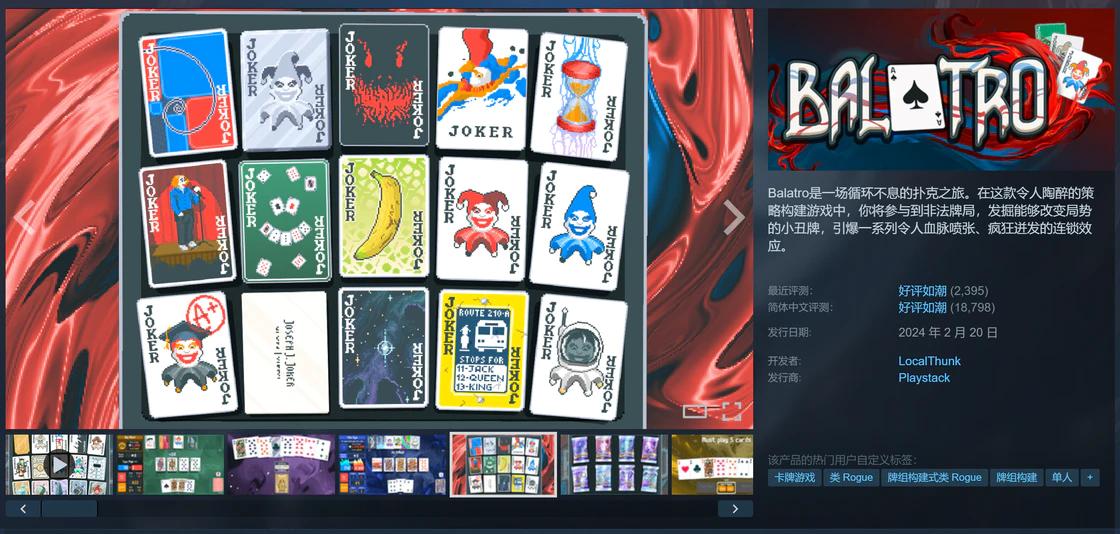
The captivating Balatro.
Its core loop is absurdly simple: play poker hands, gather points, progress to the shop to buy clown cards, and continue to the next round. The scoring formula is “base chips × multiplier,” with clown cards adding various modifications—multiplying by suit, adding chips based on hand size, or doubling under specific conditions. The combination effects of 150 types of clown cards are nearly infinite.
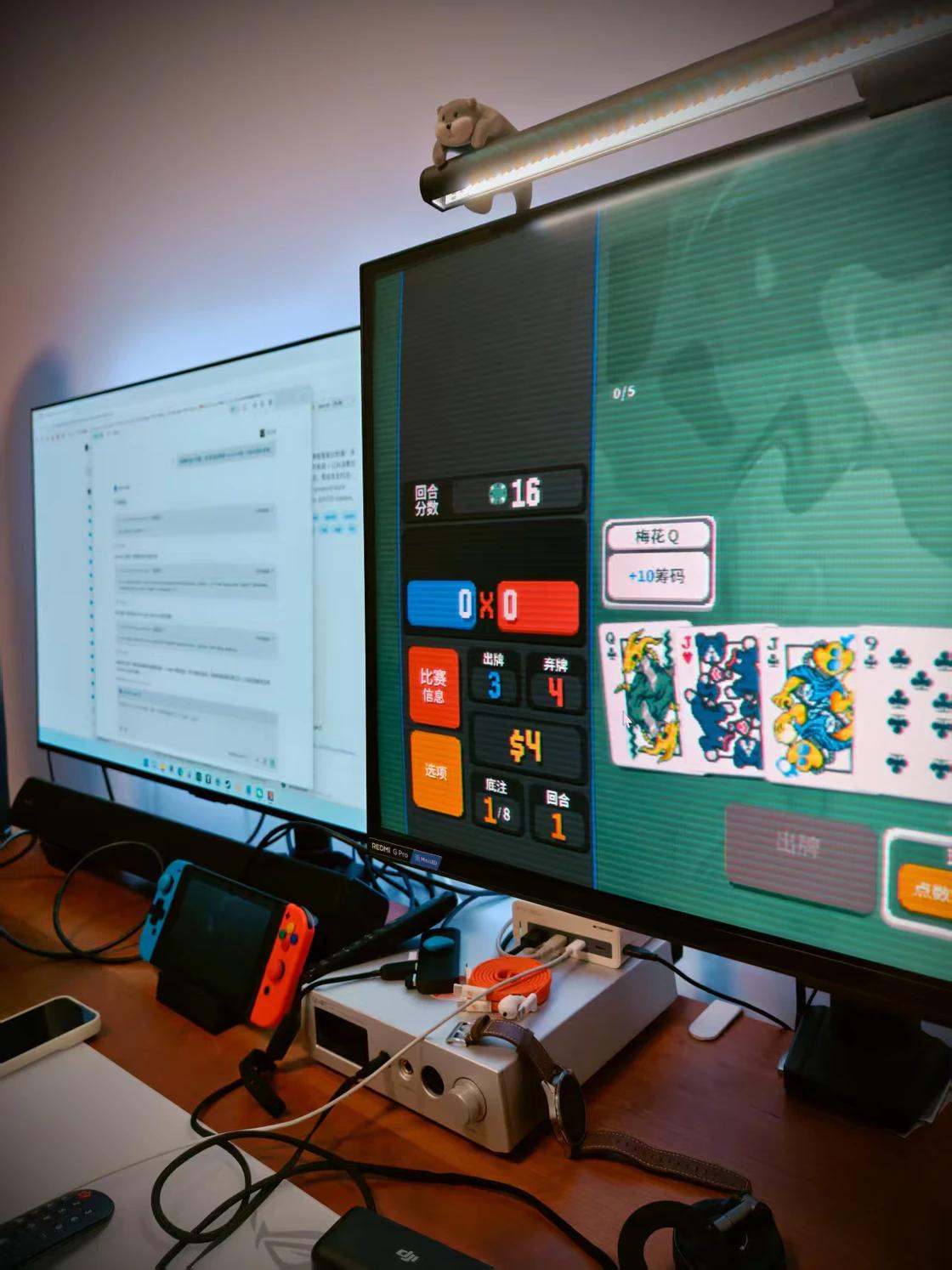
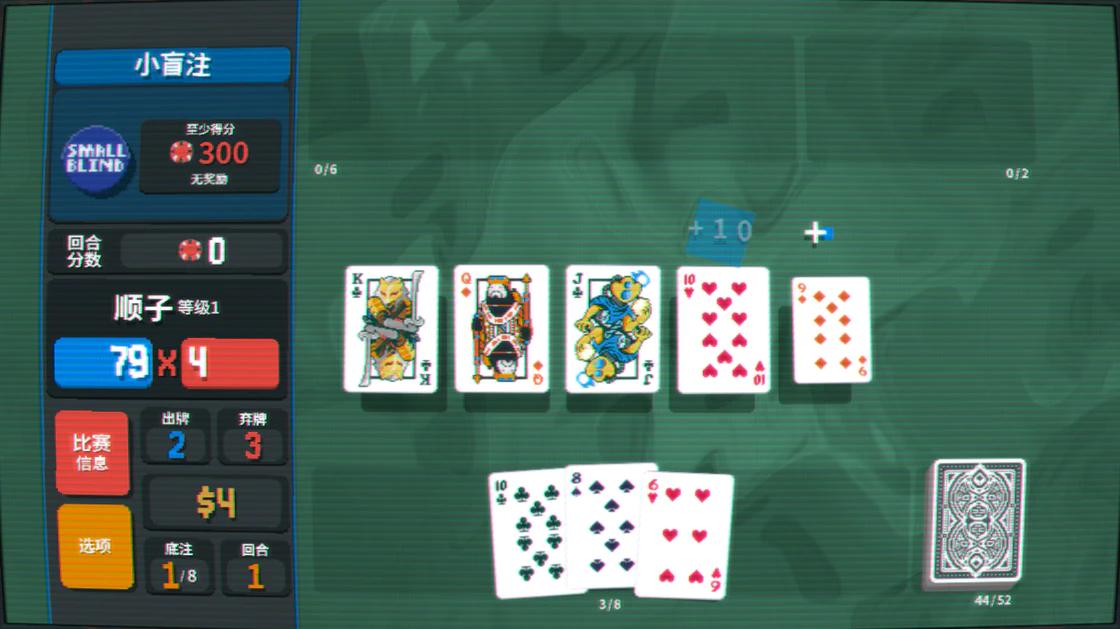
Balatro is currently my top choice for Vibe Coding.
Why is it suitable for Vibe Coding? The operational rhythm is entirely under your control. Selecting cards, playing them, and visiting the shop are all discrete click operations without time pressure. You can pause after playing a card, check the code generation results on the left screen, and then switch back to continue. Each session lasts 20 to 40 minutes, perfectly covering the complete cycle from prompt to testing (and you can pause anytime without affecting progress).
The system requirements are almost non-existent: a minimum of 1 GB RAM and 400 MB storage, and any computer from the last decade can run it. The 2D pixel rendering using Lua + LÖVE engine has such low performance overhead that you can run Cursor and Chrome simultaneously on a Macbook without lag.
A comment in the Steam review section stuck with me: “I alt-tab to Balatro during compile times. My code compiles, my run doesn’t.” Switching to play a round while the code compiles means the game is still ongoing when the code is done—this might just be the daily routine of developers in the Vibe Coding era.
However, a word of caution: Balatro has a strong “one more round” effect. The randomness of Roguelikes combined with the poker theme naturally caters to the gambler’s psychology, easily shifting from “play a round while waiting for code” to “write two lines of code while waiting for the next round.” It’s a balance to maintain.
Loop Hero
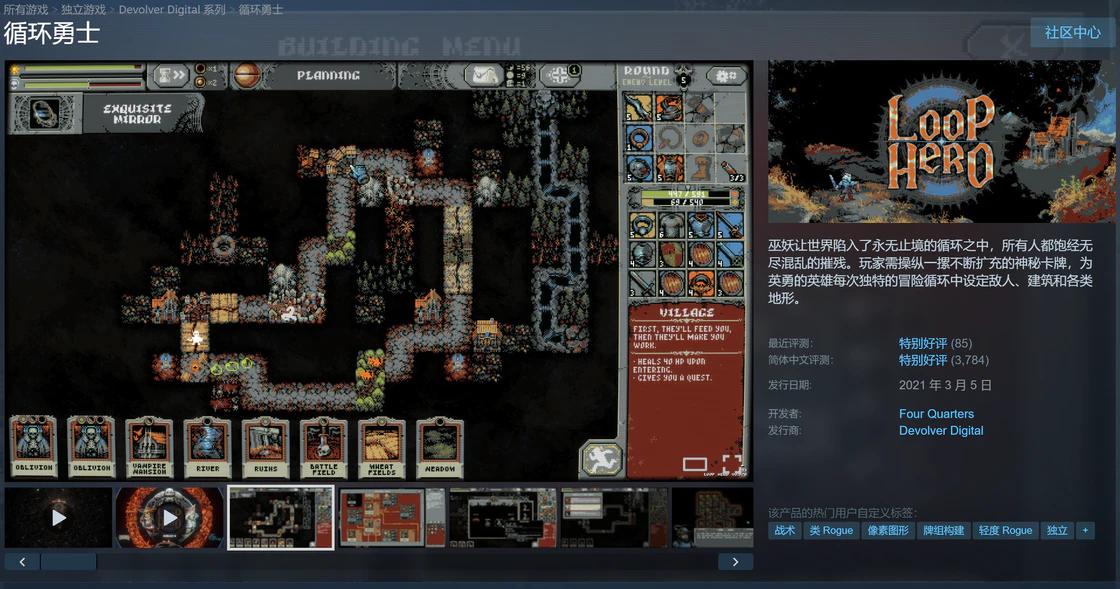
Loop Hero.
The design logic of Loop Hero is completely opposite to Balatro—you don’t need to actively control battles; the adventurer moves, fights, and collects equipment on their own. What you do is place cards next to a circular map: placing a mountain increases health, a forest boosts attack speed, and a village restores health while generating resources.
It sounds like an idle game, but the strategic depth exceeds expectations. Each card has a threat value; the more you place, the stronger the enemies become. You gather resources and benefits with cards while making the world more dangerous. A 2×2 mountain combines into a peak, and combinations of rivers and dunes produce special effects—these hidden mechanisms require you to discover actively.
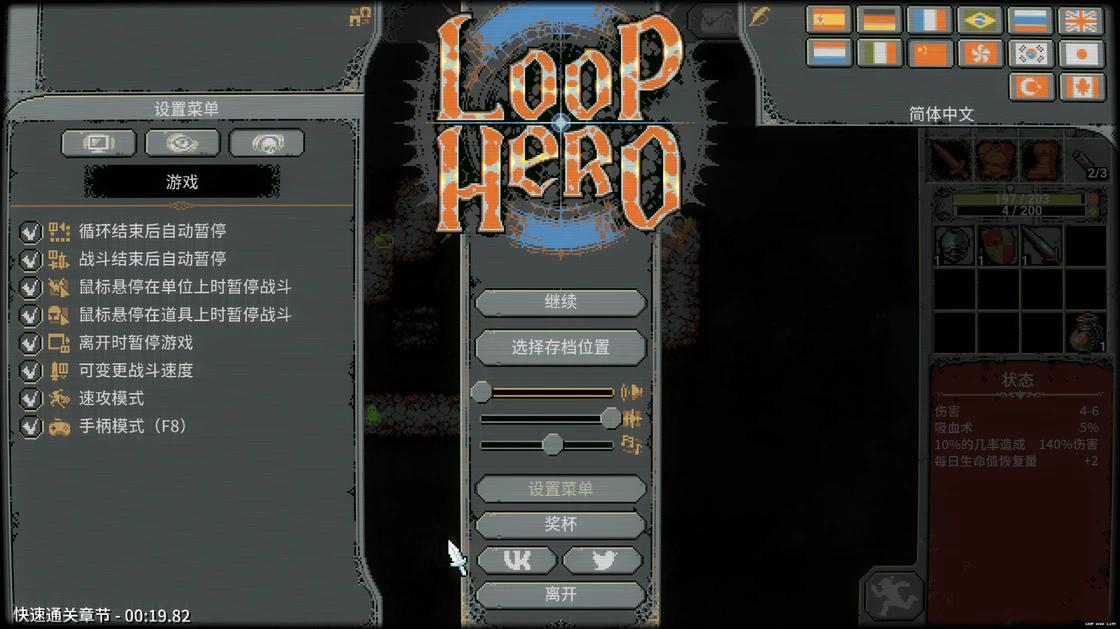
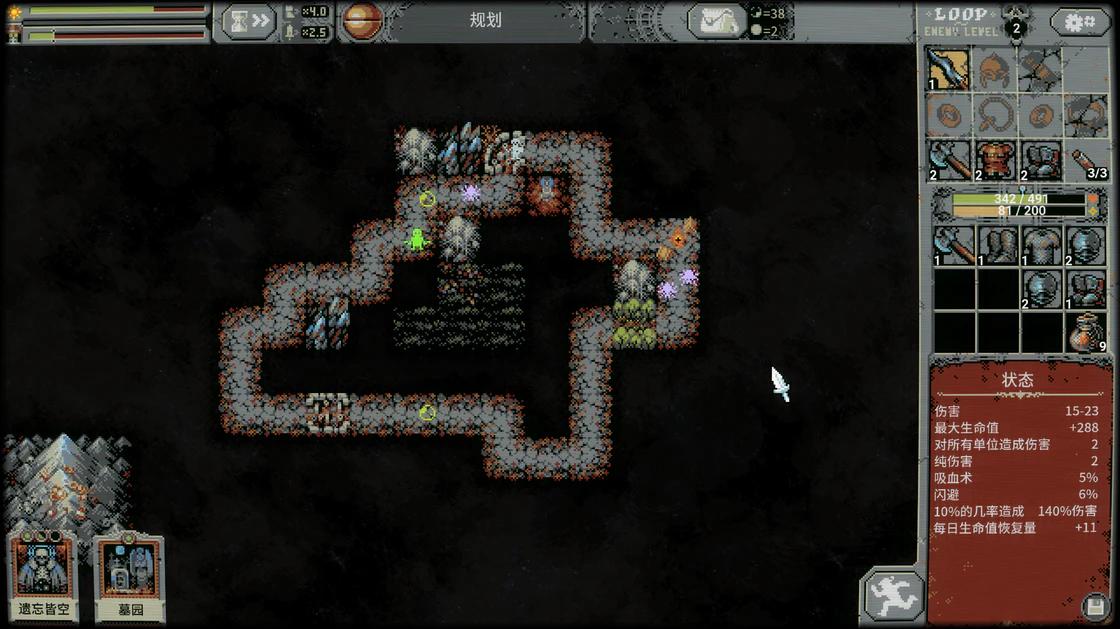
Rich game settings make it ideal for idle play.
Its multitasking friendliness is the highest among the four games. Battles are entirely automatic, allowing for long periods without interaction while the game continues. You can take a quick glance at the right screen, place a card, and switch back to review the AI-generated code. The adventurer won’t wait for you—but dying only results in a 70% resource loss, with permanent upgrades retained, making the penalty manageable.
The configuration is also very low: 200 MB installation size, and it runs on integrated graphics. Published by Devolver Digital, this indie game features pixel art quality that far exceeds its peers, and the atmospheric soundtrack adds to the experience—these are bonuses, not requirements, but they do make the waiting process less tedious.
The core decision point in Loop Hero is “when to retreat.” Continue looping to gather more resources while the risks increase, or cash out? This judgment is quite similar to reviewing AI code or making stock decisions—when to continue iterating or increasing stakes, and when to accept the current results? These decisions use the same part of the brain, but one leads to losing a few virtual stones, while the other could lead to…
Backpack Battles
Backpack Hero features a core mechanic that is almost unprecedented in Roguelikes: your backpack slots are your “deck.” Each item occupies 1 to 4 slots, and effects depend on placement and adjacent items—placing a gem next to a sword enhances its attributes; the defense value of a shield is influenced by the number of adjacent items; and there’s an item that adds 1 attack for each empty slot, encouraging you to leave space. (I discovered this game after finishing “Big Bazaar”; if you’re interested, you can check it out too.)
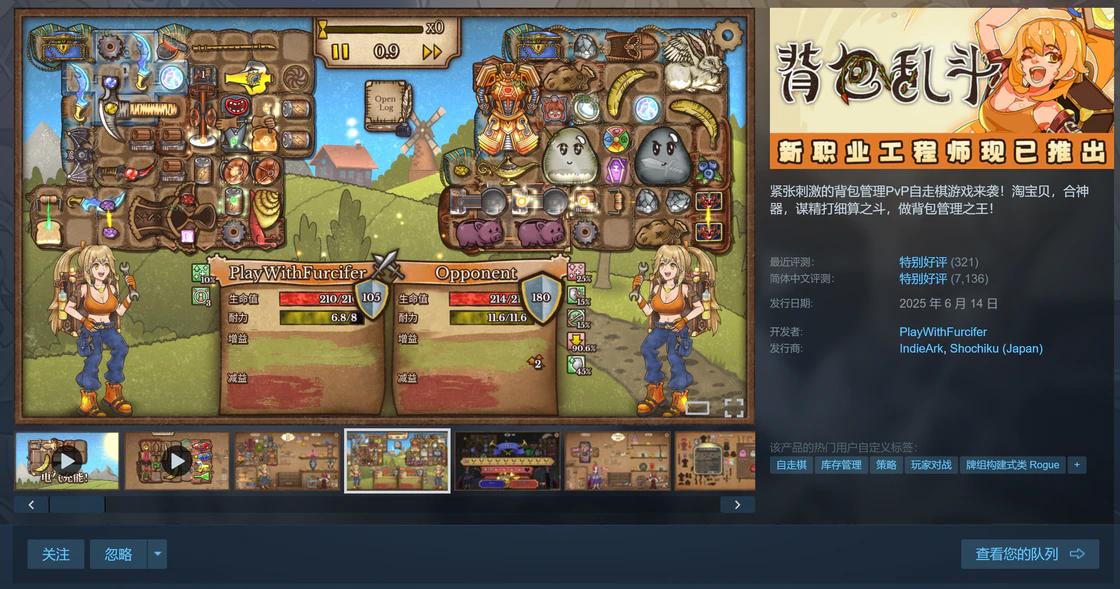
It’s a turn-based battle game without time pressure. During battle breaks, you can organize your backpack at your own pace. You can spend five minutes rearranging your backpack or switch back to the IDE after finishing a battle—the game won’t rush you.
The satisfaction from spatial arrangement is the most addictive aspect of this game. When you fit a 2×2 shield into a corner and place a fire gem next to it to enhance the adjacent sword, that seamless feeling is akin to refactoring a piece of code to perfectly fit into the architecture.
Version 1.0 introduced an exploration mode with towns, NPCs, and quests, significantly enriching the content compared to the EA period. Multiple unlockable characters each have different backpack shapes and exclusive item pools, providing good replay value.
Stacklands
Stacklands is the most relaxing of the four. The core operation is simple: drag one card onto another. Drag a villager card onto a berry bush to produce berries. Drag a villager card onto a tree to produce wood. Combine wood, stone, and villagers to build structures. Two villagers and a house breed new villagers.
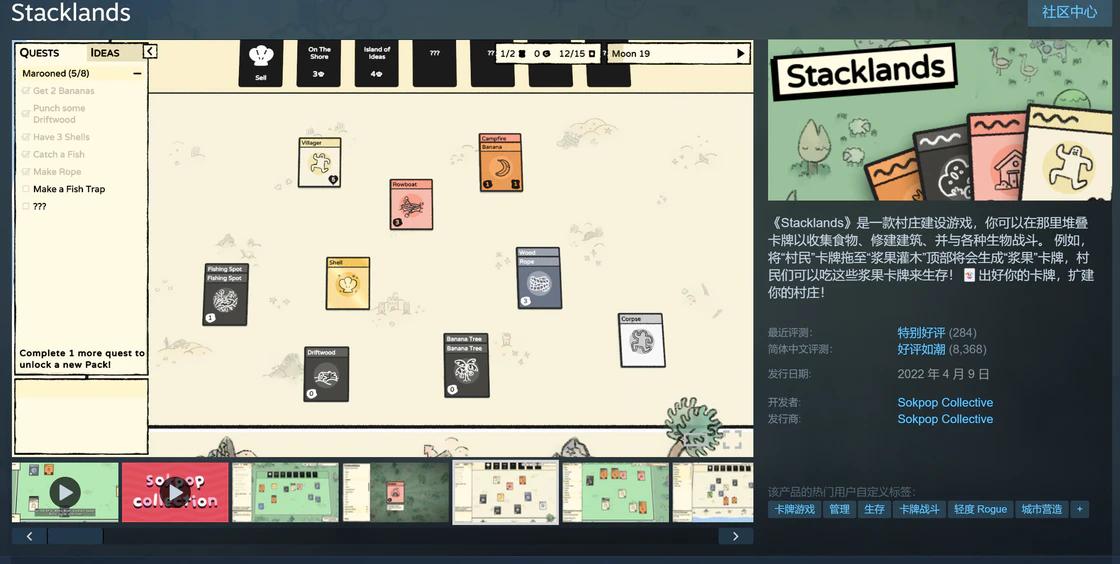
It doesn’t have traditional “failure.” Enemies invade during the moon cycle, but you can prepare in advance or pause the game to plan. The pause function is comprehensive; all card activities freeze when paused, allowing you to organize cards and plan the next step—or switch to the left screen to handle AI-generated code. Moreover, the game visuals resemble an AI-driven IDE, complete with a full Todo List…
The card pack system drives progress: use coins to purchase different themed card packs, gradually unlocking new card types and recipes. The frequent “aha” moments of discovering new recipes provide quick positive feedback. Sometimes, stacking two cards together unexpectedly reveals something new, which is particularly relieving during the waiting for AI code generation.
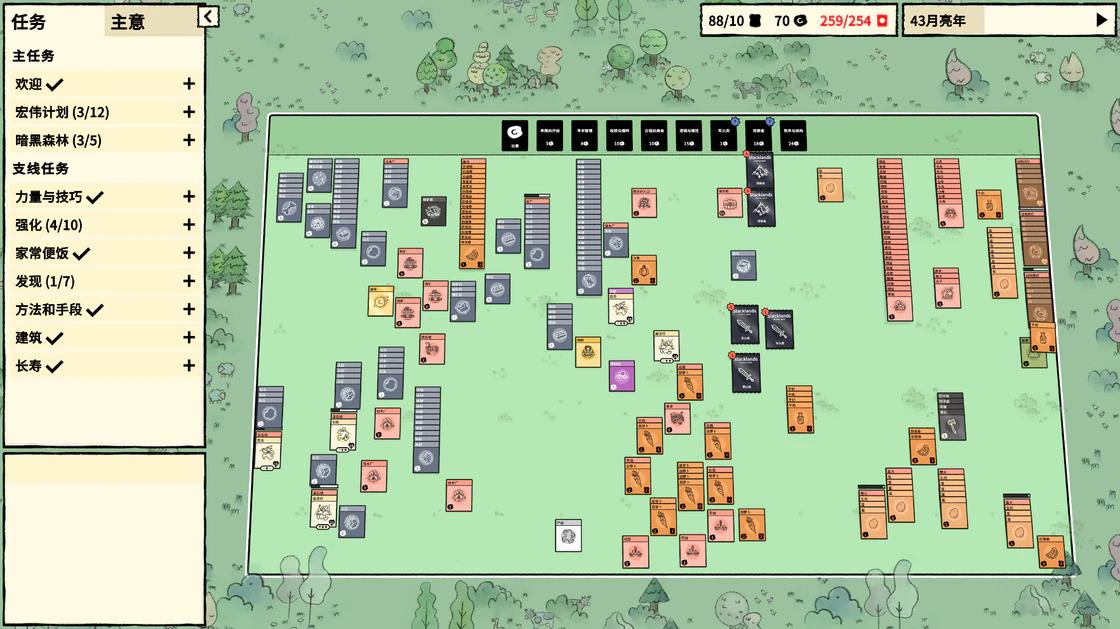
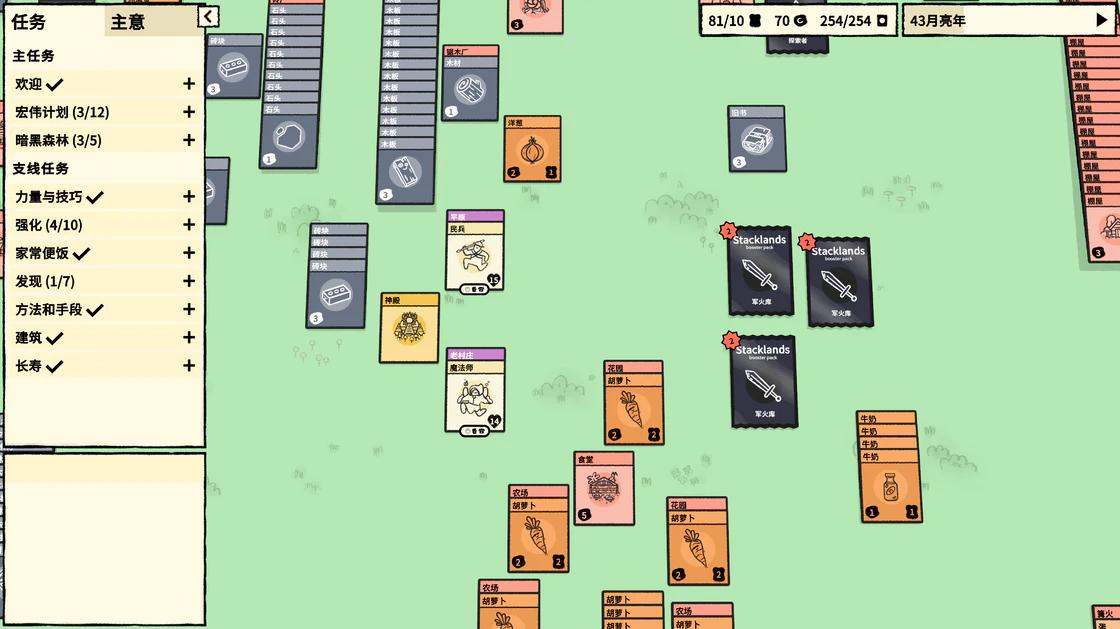
Later stages can indeed become a bit chaotic… but fortunately, you can pause.
Not Procrastination, But Rhythm Management
After all this, some may think this is just finding excuses for procrastination. To some extent, it is. But the work rhythm of Vibe Coding differs from traditional programming; it inherently contains a lot of fragmented waiting time that you can’t use for deep work because you can be interrupted at any moment.
If you do nothing during these waiting times, anxiety can set in—staring at code generating line by line, watching tests run one by one, your attention gets locked on a process you can’t speed up. Doing something else can alleviate this sense of passivity, allowing you to maintain a sense of autonomy during the wait.
Four games, four rhythms: Balatro is “play a round, wait for code,” Loop Hero is “place a card, take a glance,” Backpack Battles is “organize the backpack, clear your mind,” and Stacklands is “drag two cards, take a breather.” Their common feature is—you can stop anytime, stopping incurs no penalty, and you can resume afterward.
This might just be the new requirement for games in the Vibe Coding era: not immersion, but companionship. They don’t require your full attention but can give you something to do during your waiting times, a bit of positive feedback, and a sense of control.
On the right side of the dual screen, there should always be something. Having a Roguelike that can be paused at any time is better than a chat window that could pop up messages or a short video platform that continuously builds an information cocoon.
At least that’s what I think.
Comments
Discussion is powered by Giscus (GitHub Discussions). Add
repo,repoID,category, andcategoryIDunder[params.comments.giscus]inhugo.tomlusing the values from the Giscus setup tool.